

DisplayPort 2.1 Cable OEM: Choosing the Right Manufacturing Partner
2026-10-24
DisplayPort 2.1 isn't just a faster spec—it's a stress test for your entire supply chain. Many brands assume any factory can handle the tighter tolerances, then discover too late that signal integrity crashes at 80 Gbps. Choosing an OEM partner for DP 2.1 cables requires more than a brochure and a BOM. At EBCYX, we've learned what separates reliable high-speed cable production from expensive trial and error. This post explains what to look for—and what to avoid—before you commit.
Reading Between the Lines of DisplayPort 2.1 Spec Sheets
A DisplayPort 2.1 logo on a monitor, GPU, or cable often hides more than it reveals. The standard bundles three distinct Ultra High Bit Rate tiers—UHBR10, UHBR13.5, and UHBR20—which deliver 40, 54, or 80 Gbps of total bandwidth respectively. Yet a product page may simply say “DisplayPort 2.1” while the fine print reveals it only supports UHBR10, essentially a modest bump over the older DP 1.4 with HBR3. If the spec sheet lists only HBR3 or DP 1.4 compatibility in the electrical section, that “2.1” label is mostly cosmetic.
Cables deserve equal scrutiny. Full 80 Gbps signaling is demanding, so passive copper cables certified for UHBR20 often max out around one meter; go longer and you typically need active or optical designs. Spec sheets rarely make that clear. A cable advertised as “DisplayPort 2.1 80 Gbps” might only hit that speed at the shortest length, while the 2-meter version silently drops to 40 Gbps or lower. If your setup requires a longer run, checking the cable’s certification tier and length rating matters more than the port’s theoretical ceiling.
Display Stream Compression is another quiet qualifier. Many eye-catching resolution and refresh combinations—8K at 120 Hz, 16K at 60 Hz—only work because DSC compresses the video stream. DSC is designed to be visually lossless, but it is not uncompressed data. Some spec sheets omit that detail, letting buyers assume raw bandwidth is doing the work. If you need uncompressed pixel output, look for the small print about DSC support and what the link can carry with DSC disabled.
Certifications That Actually Matter for 80Gbps Cables
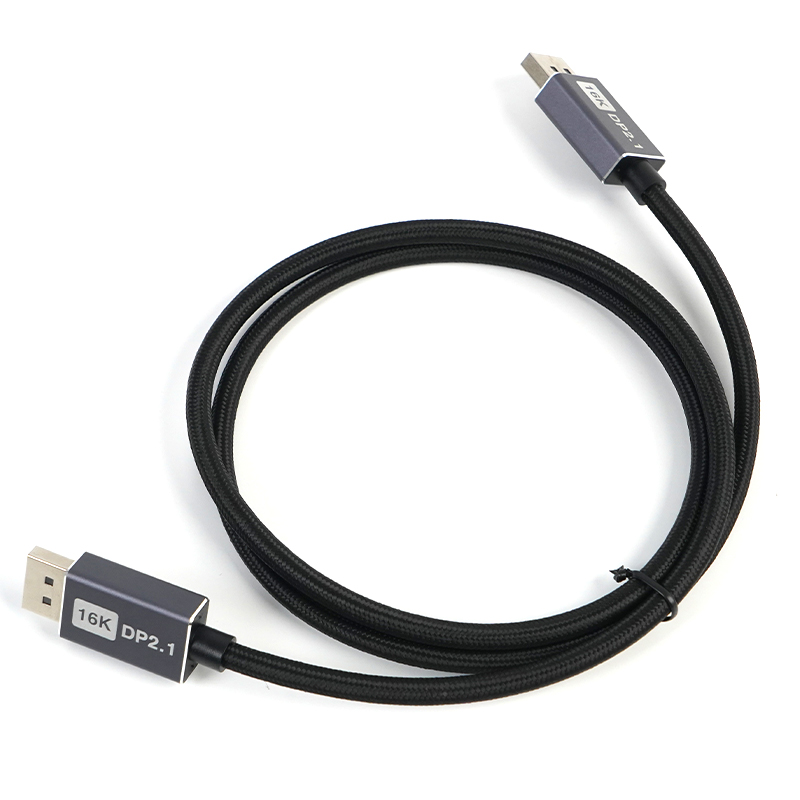
Most cable brands stamp 80Gbps on the package without ever running a compliance test. Ignore the marketing and look for two actual certification marks: the USB-IF certified USB4 80Gbps badge and Intel's Thunderbolt 5 logo. Both require real signal integrity, shielding, and connector durability testing at full 80Gbps speeds. If neither mark is present, assume the cable was self-certified with a prayer.
A printed spec sheet isn't the same thing as certification. The USB-IF mark means the cable passed interoperability checks across different hosts, docks, and devices, not just one setup in a vendor lab. Thunderbolt 5 certification is stricter for active cables, demanding stable 240W power delivery alongside the data rate. Look for the QR-coded label on the packaging and verify it through the official database. Counterfeit cables often fake the logo but skip the working verification link.
Materials and Connector Quality: Where Shortcuts Show Up First
The first place to check when a connector feels suspiciously light is the contact plating. Cheap builds swap solid copper alloys for thin brass or steel cores, then flash a whisper of nickel or gold over the top. That plating wears through in weeks, leaving you with intermittent dropouts that are nearly impossible to trace back unless you cut one open. High-cycle connectors need real thickness here—at least 30 microinches of gold over nickel if they're going to survive repeated insertions without turning into a resistor.
Housings tell a similar story. Quality connectors use glass-filled PBT or LCP that stays dimensionally stable when the pins heat up. Cheaper versions rely on unfilled nylon or recycled blends that soften, warp, or crack around the locking tabs. You can often spot the difference before anything fails: a premium shell has crisp mold lines and a slight texture, while the budget alternative feels glossy and flexes under thumb pressure. That flex eventually becomes a broken latch or a pin that sits just out of reach.
Strain relief is the shortcut you'll feel but rarely see listed on a spec sheet. A well-designed boot tapers gradually and grips the cable jacket, so bending stress spreads across a few inches instead of concentrating at the solder joint. Skimpy strain relief leaves a hard edge right where the wire enters, which is why so many cables fail at exactly that point after a few months of desk use or touring. If the boot slips when you pull, the connector internals are already on borrowed time.
Can Your OEM Scale From Prototype to Full Production?
Many OEMs shine during prototyping but hit a wall when orders jump from dozens to thousands. The real test isn't the first working unit—it's whether your partner can replicate that quality under tight deadlines, fluctuating material costs, and the pressure of continuous output. Scaling demands more than extra assembly lines; it requires a supplier with deep process control, a vetted component network, and the willingness to say no when a design can't survive high-volume reality.
You need an OEM that treats pilot runs as a rehearsal, not the final act. That means documenting every solder point, every tolerance stack, and every failure mode before the first container ships. Look for a team that brings its manufacturing engineers into design reviews early, not after the prototype is frozen. The best partners will challenge your BOM, suggest alternate parts with better lead times, and run small-batch trials that expose hidden bottlenecks—before they become line-down emergencies.
Scale-up also hinges on communication cadence and transparency. Weekly yield reports, real-time inventory visibility, and a named point of contact for escalation aren't perks; they're the difference between a launch that glides and one that stalls. Ask any OEM how they handled a past ramp-up—if they can't show you a control plan, a capacity model, and failure data from a similar project, you're betting your product's future on hope rather than evidence.
Custom Cable Assemblies Without the Usual Delays
Most cable assembly shops treat customization as a slow, painful detour. Not here. We keep a deep inventory of connectors, wires, and backshells on hand, so your one-off prototype or short production run moves straight from drawing to build without waiting on upstream suppliers.
That speed doesn't come at the cost of craftsmanship. Every assembly is tested for continuity and fit before it leaves, and our engineers stay on the line with you from first sketch to final harness. If a spec shifts mid-project, we adjust fast instead of restarting a bureaucratic cycle.
The result is a custom cable that feels off-the-shelf in delivery time but fits like it was designed only for your equipment, because it was.
Identifying Red Flags Before You Sign the Contract
The first warning sign often hides in the fine print, not the bold promises. Look for vague language around renewal terms, automatic fee increases, or unilateral amendment rights. If a clause allows the other party to change pricing or service scope without your consent, that's not flexibility—it's a trap waiting to trigger months after the ink dries.
Pay attention to what's missing, not just what's written. A contract that lacks clear exit provisions, dispute resolution mechanisms, or data ownership details should make you pause. Ambiguity disproportionately benefits the drafter, and vague deliverables or acceptance criteria often become the source of painful disagreements when expectations collide with reality.
Finally, trust your discomfort. If you feel rushed to sign, if explanations are circular, or if the salesperson assures you that certain clauses are 'just standard boilerplate' without offering a written amendment, step back. A legitimate partner will welcome scrutiny. Red flags multiply when you ignore the small voice asking why something feels off.
FAQ
A dependable partner will walk you through impedance tolerance data, eye diagram margins at UHBR20, and real-world thermal behavior—not just list the maximum bandwidth on a datasheet. They also tend to have repeatable production fixtures instead of relying on hand-soldered prototypes for approval.
Ask for test reports from their own lab that show pre- and post-stress eye diagrams, and then cross-check with a third-party fixture you trust. If they hesitate to share the failure thresholds or only provide a 'pass' screenshot, that's usually a sign they haven't fully characterized the design.
VESA DisplayPort certification is the baseline, but you also want to see ISO 9001 process control and, for active cables, evidence of firmware validation across multiple GPU and monitor platforms. Don't ignore regional requirements like CE or UKCA if your market includes those regions.
Overmolding is where a lot of field failures start—too much stress on the solder joints during bend cycles, or poor strain relief that lets the shield separate. A good OEM will show you their bend test setup and specify the durometer of the strain relief material, not just a generic 'durable' claim.
It depends on target length and price point. Passive cables up to about 1.2 meters are simpler and cheaper, but anything longer that needs stable UHBR20 will likely require active retimers or redrivers. A knowledgeable OEM will help you map length, gauge, and insertion loss before you commit to a BOM.
Ask who supplies the raw copper or fiber, whether they batch-test tensile strength and purity, and how they handle lot traceability. If they can't tell you the provenance of the conductors or the dielectric, their consistency claims are probably weaker than they appear.
Look for full link-compliance testing at each production run, including crosstalk, return loss, and protocol-level interoperability with a matrix of source and sink devices. Also ask if they perform HALT or accelerated aging on samples, since heat and repeated mating cycles reveal problems that a one-time bench test won't.
Active cables rely on embedded chips that may need bug fixes for handshaking issues with certain GPUs or displays. If the OEM doesn't offer a way to update firmware or at least re-flash during production, you could end up with inventory that can't adapt to future source devices.
Conclusion
Evaluating DisplayPort 2.1 cable OEMs demands more than a quick glance at spec sheets. Savvy buyers dissect signal integrity parameters like insertion loss, return loss, and crosstalk headroom under full 80Gbps load, because printed bandwidth claims often mask real-world performance drops. Certifications carry weight only when they come from recognized bodies—look for VESA's UHBR certification and independent lab test reports, not just self-declared compliance. Material shortcuts surface first in connector gold plating thickness, cable shielding density, and strain relief design. A partner who openly shares material datasheets and tolerances is far more trustworthy than one who hides behind vague marketing language.
Scaling from prototype to full production reveals an OEM's true operational depth. Ask for a documented ramp-up plan, including fixture duplication, inline testing stations, and statistical process control—not just promises of capacity. Custom cable assemblies often stall when engineering support is thin, so verify whether the partner has in-house tooling design and a track record of delivering non-standard pinouts or overmolded connectors without adding months to lead times. Before signing anything, red flags include price quotes that undercut raw material costs, refusal to share a pre-production sample, vague delivery windows, and hidden fees for tooling or certification transfers. A trustworthy manufacturing partner will volunteer their failure analysis process and welcome a factory audit, because they know long-term quality beats short-term margin.
Contact Us
Contact Person: David Yang
Email: [email protected]
Tel/WhatsApp: 8615814734054
Website: https://www.ebcyx.com/